
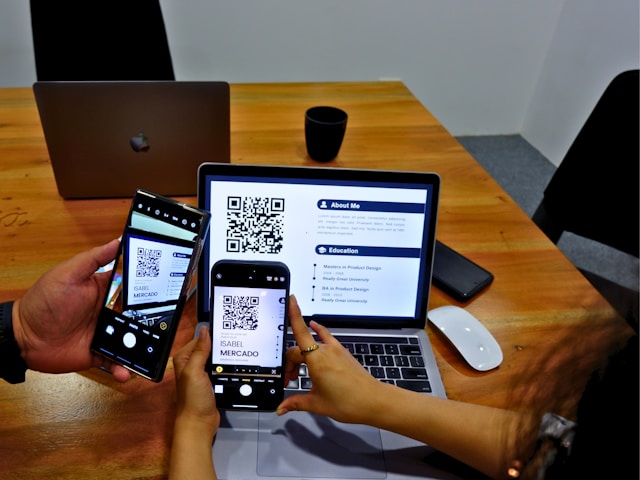
In today’s competitive job market, your resume must do more than impress human recruiters—it must also pass through Applicant Tracking Systems (ATS). These systems are software programs used by many companies to scan, filter, and rank resumes before they reach hiring managers. Even highly qualified candidates can be overlooked if their resumes are not optimized for ATS. Understanding how these systems work and crafting your resume accordingly is essential to increasing your chances of landing interviews.
This article provides practical strategies to create an ATS-friendly resume while maintaining professionalism and readability.
Understanding Applicant Tracking Systems
An Applicant Tracking System is designed to streamline the hiring process by automating the sorting and ranking of resumes. ATS scans resumes for specific keywords, skills, job titles, and qualifications. Resumes that match the criteria set by the employer are prioritized, while others may be filtered out before a human ever reviews them.
Knowing this, the key to passing ATS is to balance optimization for the system with clarity for human readers.
Use Relevant Keywords
Keywords are critical for ATS because they determine how your resume is ranked. Keywords typically include job-specific skills, certifications, software, and industry terminology.
How to Identify Keywords
- Review the job description carefully and highlight repeated skills and qualifications.
- Look at similar job postings to identify commonly requested skills.
- Include industry-standard terms rather than generic descriptors.
How to Incorporate Keywords
- Integrate keywords naturally within your work experience, skills, and professional summary.
- Avoid “keyword stuffing,” which can make your resume look unnatural and reduce readability.
- Use variations of keywords when appropriate, such as “project management” and “managing projects.”
Proper keyword use ensures your resume passes ATS filters while still making sense to human readers.
Choose the Right Resume Format
ATS systems are more effective at reading simple and standard formats. Complex layouts, graphics, or unusual fonts can confuse the system and result in errors.
Recommended Formats
- Chronological Resume: Lists work experience in reverse chronological order and is widely compatible with ATS.
- Hybrid Resume: Combines chronological and skills-based elements while maintaining a simple structure.
Formatting Tips
- Use standard headings like “Work Experience,” “Education,” and “Skills.”
- Avoid tables, text boxes, graphics, and images that may not be recognized by ATS.
- Stick to standard fonts like Arial, Calibri, or Times New Roman.
- Save and submit your resume in the preferred file type, usually .docx or PDF (if the system supports it).
Simple, clean formatting ensures the system can read your resume accurately.
Highlight Skills Clearly
Many ATS systems specifically scan for hard and soft skills relevant to the role. Including a dedicated “Skills” section helps both the software and the recruiter quickly identify your capabilities.
Tips for Skills Sections
- Use bullet points to list relevant skills.
- Categorize skills if applicable, such as “Technical Skills” and “Leadership Skills.”
- Include both hard skills (e.g., Python, project management) and soft skills (e.g., communication, problem-solving) that are directly mentioned in the job description.
A clearly defined skills section increases your chances of ranking higher in ATS searches.
Optimize Job Titles and Descriptions
ATS often looks for specific job titles that match the position being applied for. Even if your previous title differs slightly, you can optimize it without misrepresenting your role.
How to Optimize
- Include your official job title but consider adding a more commonly recognized equivalent in parentheses. For example, “Client Success Specialist (Account Manager).”
- Describe responsibilities and achievements using language that matches the job description.
- Use action verbs and measurable outcomes to demonstrate results.
This strategy ensures your experience aligns with the criteria ATS and hiring managers are seeking.
Avoid Overcomplicating Your Resume
While creative resumes may impress human reviewers in some industries, ATS cannot interpret infographics, logos, or decorative fonts. Overcomplicated designs risk your resume being misread or rejected.
Key Points
- Stick to plain, professional formatting.
- Use standard headings and consistent spacing.
- Avoid graphics, charts, or symbols that convey information visually.
Keeping it simple allows both ATS and human readers to focus on your qualifications.
Include Education and Certifications Properly
Education, certifications, and licenses are often scanned by ATS to determine eligibility. Ensure these sections are formatted clearly and consistently.
How to Format
- List the degree, institution, and graduation year in reverse chronological order.
- Include relevant certifications with the full name and issuing organization.
- Add professional designations or licenses exactly as written in the job posting.
Clear formatting ensures the ATS correctly interprets your educational background.
Test Your Resume for ATS Compatibility
Before submitting, it’s helpful to test whether your resume is ATS-friendly. Several online tools can simulate how an ATS reads your document and provide feedback on keyword optimization, formatting, and readability.
Additional Tips
- Keep job-specific keywords prominent in your summary and work experience.
- Maintain a balance between ATS optimization and readability for hiring managers.
- Update your resume for each application to reflect new keywords or role requirements.
Testing your resume ensures it passes ATS filters while remaining compelling to human readers.
Conclusion
Creating a resume that passes Applicant Tracking Systems requires understanding how ATS works, using relevant keywords, maintaining a clean format, and highlighting skills and achievements strategically. By optimizing your resume for both software and human recruiters, you increase the chances of making it through the first stage of hiring and securing interviews.
A thoughtful, ATS-friendly resume is not about tricking the system—it’s about presenting your experience clearly, demonstrating value, and ensuring your qualifications are recognized. With the right approach, your resume can open doors to opportunities you might otherwise miss.

